
75+ Powerful Divi ModulesDivi SVG Animator
Transform static SVGs into captivating animations. Create eye-catching drawing effects, morphing transitions, and interactive graphics that engage visitors and bring your designs to life.
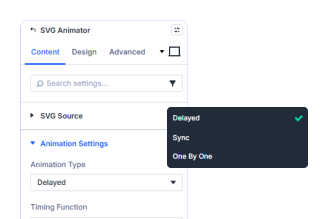
Multiple Animation Types
animations. Control timing easily.
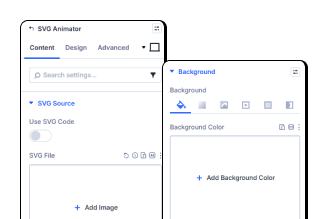
Complete SVG Customization
colors, size, and backgrounds easily.
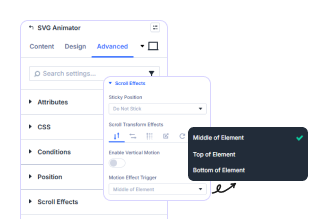
Advanced Control Options
direction for dynamic effects.
Key FeaturesAdvanced Divi SVG Animator
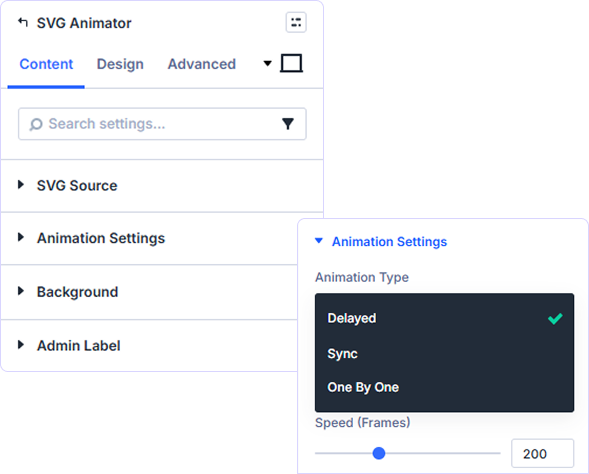
Three Powerful Animation Modes
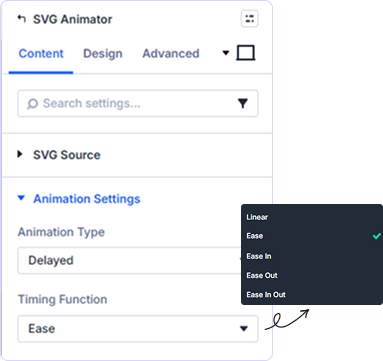
Precision Timing & Easing Controls
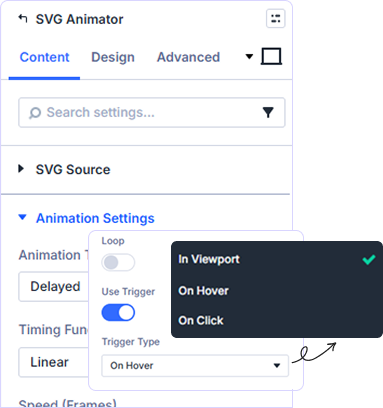
Flexible Loop & Trigger Options
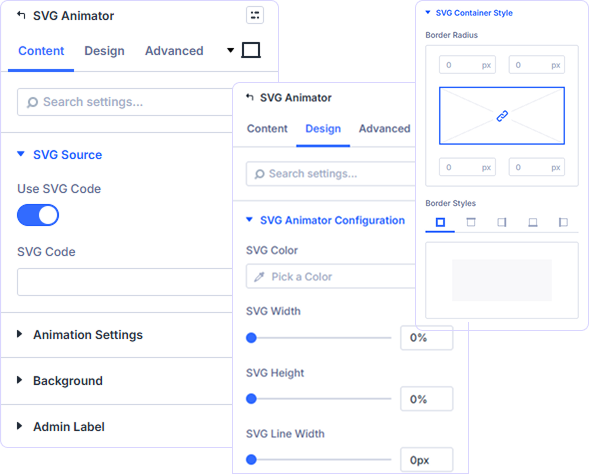
Complete Visual Customization
Upload SVG files or paste code directly. Customize stroke colors, line widths, fill colors, and container dimensions. Full control over visual appearance and styling.
prebuild sectionGet Started with Our Pre-made Layouts
Build custom Divi SVG Animator
in minutes!
Frequently Asked Questions
Do you have any questions or concerns? Here is a list of frequently asked questions and their answers that might be helpful.
Divi Essential Help Center or Contact Us.
What is the SVG Animator module used for?
Creates animated SVG graphics with drawing effects. Perfect for logos, icons, illustrations, infographics, diagrams, and interactive visual storytelling on landing pages.
What animation types are available?
Three modes: Delayed (staggered paths), Sync (simultaneous animation), and One By One (sequential reveals). Each offers unique timing and visual effects.
How do I add SVG files to the module?
Upload SVG files directly or paste SVG code. Both methods supported with full customization of colors, dimensions, and animation properties.
Can I control animation speed and timing?
Yes! Adjust speed in frames, choose easing functions (ease, linear, cubic, elastic, bounce), set delays, and configure loop behavior with precise control.
Can I trigger animations on scroll?
Yes! Enable scroll triggers to start animations when the SVG enters the viewport. Perfect for engaging users as they explore your content.
Is the SVG Animator responsive?
Yes! Fully responsive with independent sizing controls. SVGs scale perfectly across desktop, tablet, and mobile devices with dimension and alignment options.
✨ More Ways to Enhance Your Divi Experience

Divi Text Marquee
Create scrolling text announcements with smooth animations & custom icons.

Divi Time Count Down
Build urgency with customizable countdown timers for sales & events.

Divi Interactive Circle
Showcase features in stunning circular layouts with interactive animations.

Divi Scroll Stacking Cards
Captivate visitors with scroll-triggered card stacks for features & portfolios.
Mega Saver Offer!Unlock Endless Design Possibilities with All Access Pass!
Unlock 17+ plugins, 80+ modules, 750+ layouts & more with Divi Next’s All Access Pass! Experience the ultimate Divi builder toolkit. Grab your lifetime access today!

