
90+ Powerful Divi ModulesDivi 3D Spline
Embed stunning, interactive 3D scenes into any Divi page with Divi 3D Spline. Bring your designs to life with real-time 3D—no code, no plugins, no limits.
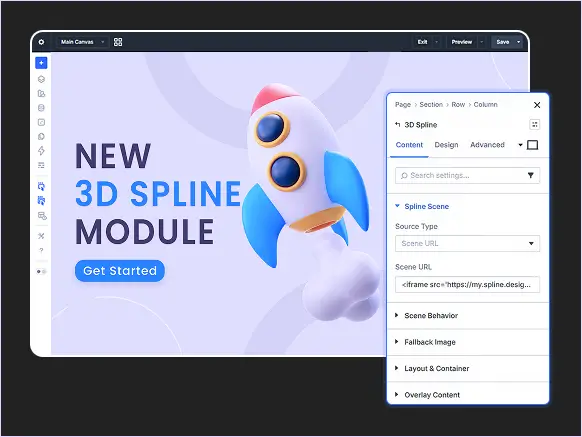
Why Divi Builders Choose Divi 3D Spline
Divi 3D Spline turns static pages into immersive 3D experiences with seamless
Spline integration and pixel perfect control.
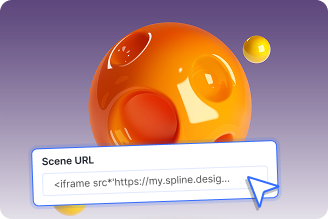
Instant 3D Scene Embedding
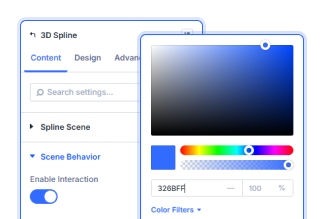
Interactive 3D by Default
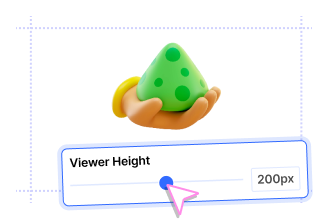
Full Layout & Display Control
Key FeaturesFully Customizable Divi 3D Spline
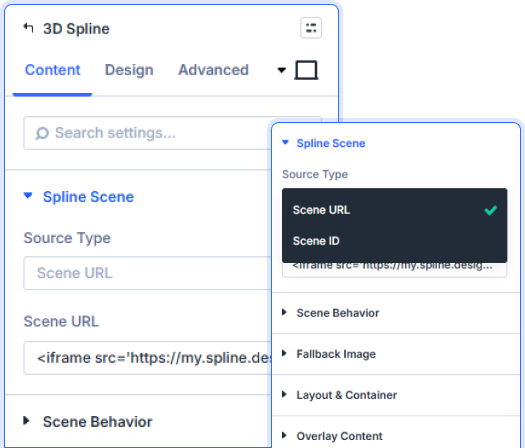
Flexible 3D Scene Source Options
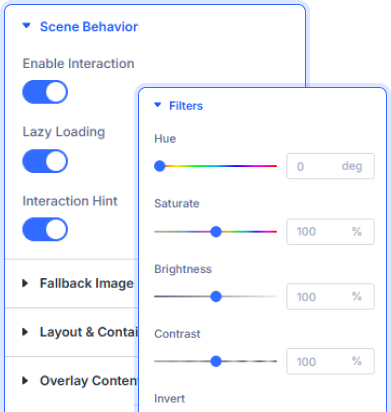
Smart Interactive Scene Controls
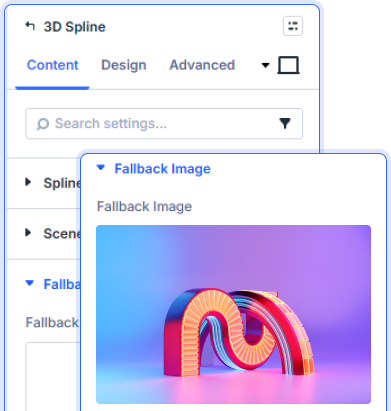
Graceful Fallback for Every Device
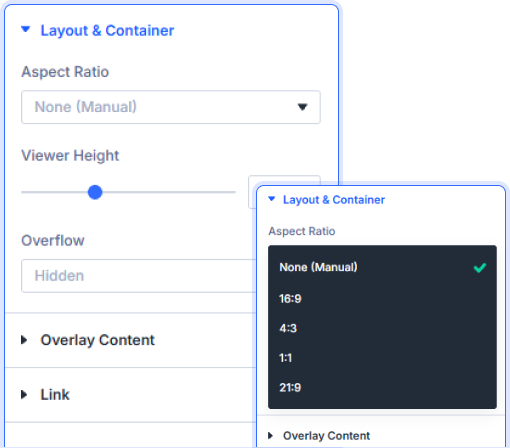
Precision Layout & Aspect Ratio Control
prebuild sectionGet Started with Our Pre-made Layouts
Quick StepsHow to Add a Divi 3D Spline Scene in 3 Simple Steps

Install Divi Essential and activate your license key.

Drop the Divi 3D Spline module onto your Divi page.

Paste your Spline Scene URL or ID and publish.
Launch A Stunning Experience. Bring
Your Pages to Life in 3D!
Frequently Asked Questions
Do you have any questions or concerns? Here is a list of frequently asked questions and their answers that might be helpful.
Divi Essential Help Center or Contact Us.
Do I need a Spline account to use this module?
Yes, you’ll need a free Spline account at spline.design. Create or open a scene, copy its URL or Scene ID, and paste it directly into the module settings.
What’s the difference between Scene URL and Scene ID?
Scene URL uses the full published Spline link, while Scene ID uses just the unique identifier. Both load the same scene—choose whichever fits your workflow.
Can visitors interact with the 3D scene on the page?
Yes! Enable Interaction in the Scene Behavior settings to let users rotate, hover, and click within your Spline scene directly on the page.
What does the Fallback Image do?
The Fallback Image displays when a visitor’s browser cannot render the 3D scene—ensuring your page always looks complete and professional on every device.
Can I control the height and aspect ratio of the 3D viewer?
Absolutely. Choose from preset aspect ratios like 16:9, 4:3, 1:1, or 21:9, or set a custom viewer height manually using the slider in Layout & Container settings.
Does lazy loading affect my 3D scene performance?
Lazy loading delays the scene from rendering until it enters the viewport, improving page load speed. Toggle it on or off from the Scene Behavior panel based on your needs.
✨ More Ways to Enhance Your Divi Experience

Divi Text Marquee
Create scrolling text announcements with smooth animations & custom icons.

Divi Time Count Down
Build urgency with customizable countdown timers for sales & events.

Divi Interactive Circle
Showcase features in stunning circular layouts with interactive animations.

Divi Scroll Stacking Cards
Captivate visitors with scroll-triggered card stacks for features & portfolios.
Mega Saver Offer !Unlock Endless Design Possibilities with All Access Pass!
Unlock 17+ plugins, 115+ modules, 880+ layouts & more with Divi Next’s All Access Pass! Experience the ultimate Divi builder toolkit. Grab your lifetime access today!

