
75+ Powerful Divi ModulesDivi Advanced Audio
Display audio tracks in 6 stunning layouts Card, Vinyl, Wave, and more. Add cover art, track info, and full playback controls styled entirely in Divi 5.
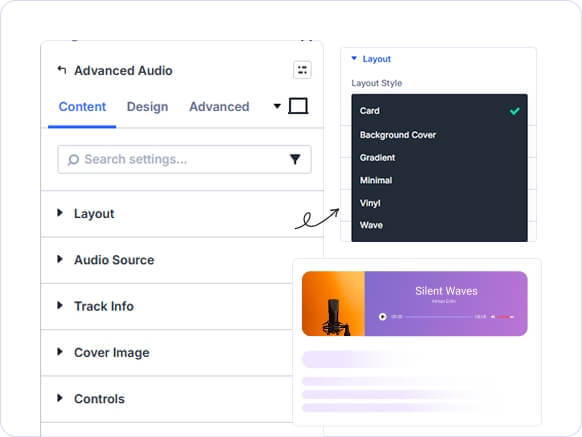
Six Unique Player Layouts
more styles.
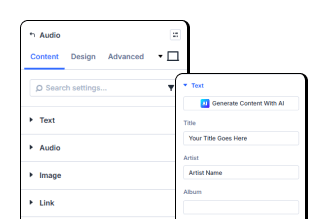
Full Track Info Control
year.
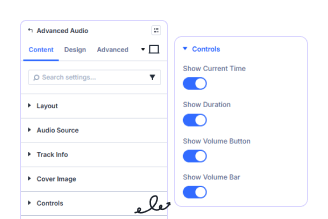
Individual Control Toggles
button, and bar.
Key FeaturesAdvanced Audio
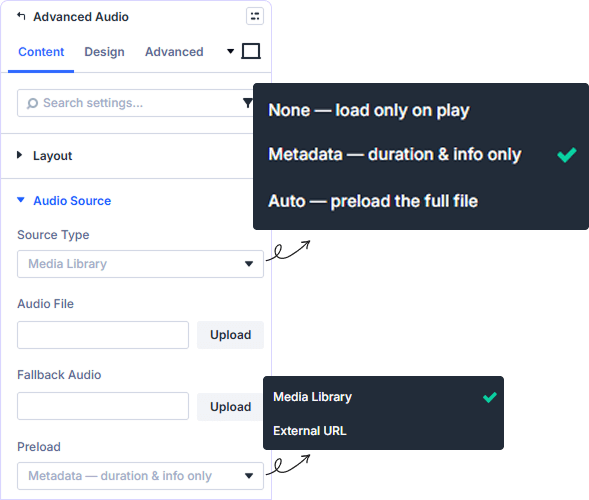
Two Source Types With Fallback
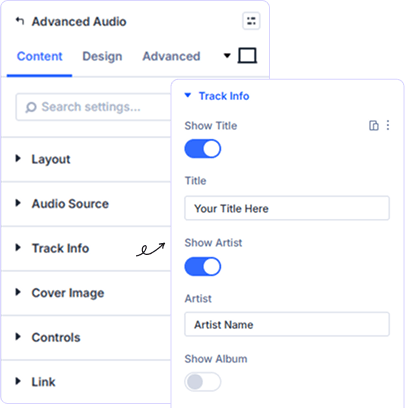
Five Toggleable Track Info Fields
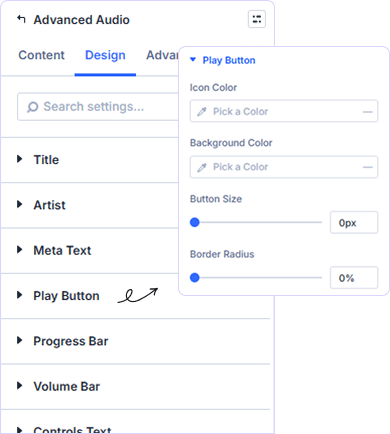
Play Button Color and Size Control
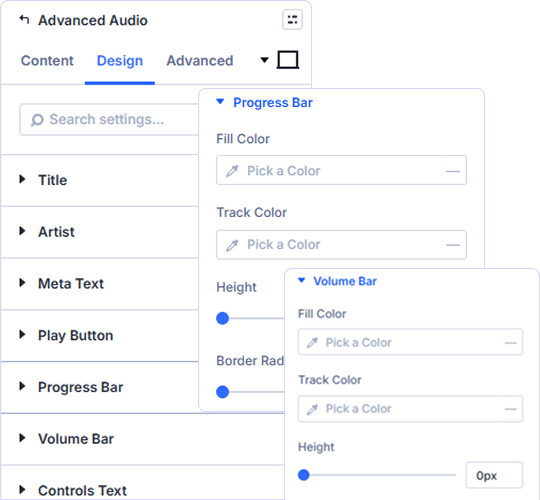
Progress and Volume Bar Styling
prebuild sectionGet Started with Our Pre-made Layouts
Style Your Audio Player in Minutes!
Frequently Asked Questions
Do you have any questions or concerns? Here is a list of frequently asked questions and their answers that might be helpful.
Divi Essential Help Center or Contact Us.
What layout styles are available for the audio player?
Six layouts are available: Card, Background Cover, Gradient, Minimal, Vinyl, and Wave. Each gives your audio a completely distinct visual presentation.
Can I use an external audio URL instead of uploading a file?
Yes. Source Type lets you switch between Media Library and External URL. You can also add a Fallback Audio file as backup if the primary source fails.
Which track information fields can I show or hide?
You can toggle Title, Artist, Album, Genre, and Year on or off independently. Each has its own typography and spacing controls in the Design tab./ Toggle Title, Artist, Album, Genre, and Year individually with full typography and spacing controls.
Can I style the play button separately from the progress bar?
Yes. Play Button has its own panel with Icon Color, Background Color, Button Size, and Border Radius — fully separate from the Progress Bar panel.
Are the progress bar and volume bar styled independently?
Yes. Each has a separate panel with Fill Color, Track Color, and Height. The Progress Bar panel also includes Border Radius for additional shape control.
Can I add and style a cover image for the audio player?
Yes. Enable Show Cover Image and upload your artwork. Style it with Width, Border Radius, Border, Box Shadow, and Filters in the Design tab.
✨ More Ways to Enhance Your Divi Experience

Divi Text Marquee
Create scrolling text announcements with smooth animations & custom icons.

Divi Time Count Down
Build urgency with customizable countdown timers for sales & events.

Divi Interactive Circle
Showcase features in stunning circular layouts with interactive animations.

Divi Scroll Stacking Cards
Captivate visitors with scroll-triggered card stacks for features & portfolios.
Mega Saver Offer!Unlock Endless Design Possibilities with All Access Pass!
Unlock 17+ plugins, 80+ modules, 750+ layouts & more with Divi Next’s All Access Pass! Experience the ultimate Divi builder toolkit. Grab your lifetime access today!

