
75+ Powerful Divi ModulesDivi Inline Content
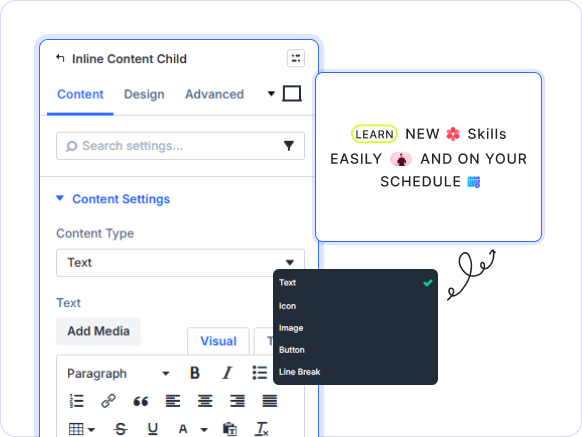
Mix text, icons, images, and buttons inline on any Divi page with Divi Inline Content. Build rich layouts visually—no coding, no complexity, no compromise.
Why Divi Users Choose DiviInline Content
Divi Inline Content delivers flexible, mixed-element inline layouts with per-item design control engineered to give builders pixel-perfect freedom in every row.
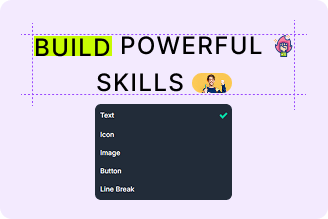
Mix Any Content Inline
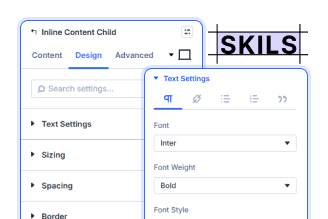
Built-In Rich Text Editor
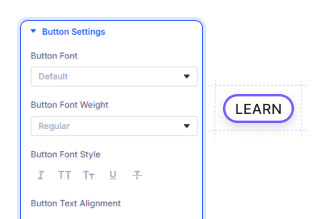
Per-Element Design Control
Key FeaturesAdvanced Inline Content
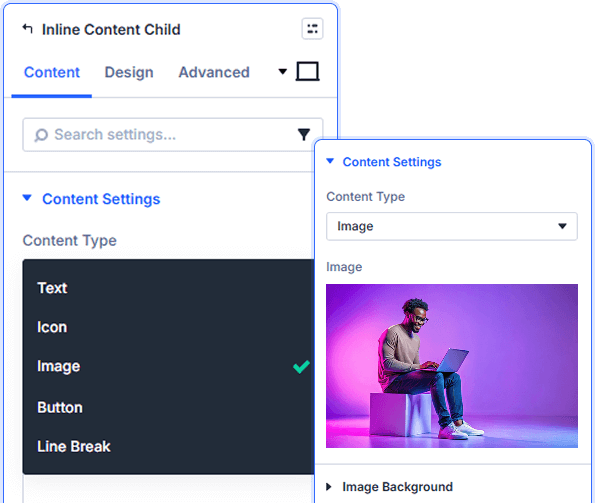
Five Flexible Inline Content Types
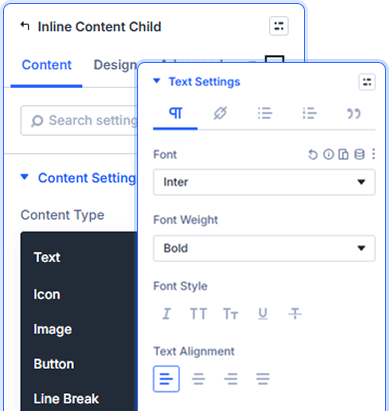
Full Visual Text Editing Per Item
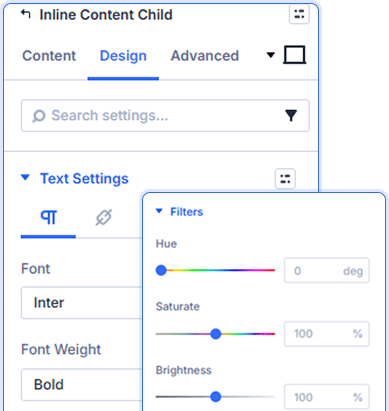
Independent Styling for Every Child
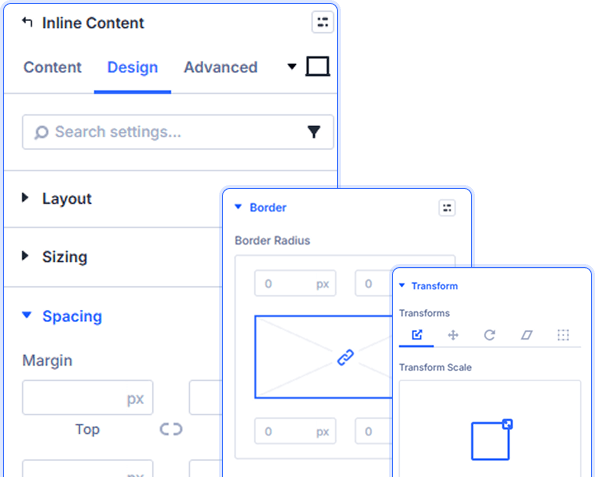
Precise Sizing, Spacing & Animation
Set custom padding per child item. Add borders, box shadows, and CSS filters. Trigger entrance animations and transforms independently on each inline element.
prebuild sectionGet Started with Our Pre-made Layouts
Quick StepsHow to Add a Divi Inline Content in3 Simple Steps

Install Divi Essential and activate your license key.

Drop the Divi Social Share module onto your page.

Choose your networks, style each button, and publish.
Launch A Stunning Experience. Build Inline Layouts Beautifully!
Frequently Asked Questions
Do you have any questions or concerns? Here is a list of frequently asked questions and their answers that might be helpful.
Divi Essential Help Center or Contact Us.
Can I style each inline item differently?
You can add five types per child item: Text, Icon, Image, Button, or Line Break. Mix any combination within one module to build rich inline layouts visually.
Can I style each inline item differently?
Yes! Every child item has its own Design tab with independent font, color, size, spacing, border, box shadow, filters, transform, and animation controls.
Does the text editor support rich formatting?
Absolutely. Each Text child includes a visual editor with bold, italic, alignment, font color, links, lists, blockquotes, and emoji—all without touching code.
Can I add multiple child items to one module?
Yes. Use Add New Item to stack as many child items as needed. Each item is independently configured and reorderable within the parent module.
Can I add a line break between inline elements?
Yes. Select Line Break as the content type for any child item to insert a natural break between elements without adding a new row or section.
Does each child item support entrance animations?
Yes. Every child item includes Divi’s full Animation panel in the Design tab, letting you trigger independent entrance effects on each element.
✨ More Ways to Enhance Your Divi Experience

Divi Text Marquee
Create scrolling text announcements with smooth animations & custom icons.

Divi Time Count Down
Build urgency with customizable countdown timers for sales & events.

Divi Interactive Circle
Showcase features in stunning circular layouts with interactive animations.

Divi Scroll Stacking Cards
Captivate visitors with scroll-triggered card stacks for features & portfolios.
Mega Saver Offer!Unlock Endless Design Possibilities with All Access Pass!
Unlock 17+ plugins, 80+ modules, 750+ layouts & more with Divi Next’s All Access Pass! Experience the ultimate Divi builder toolkit. Grab your lifetime access today!

