
Plot locations on a dynamic rotating 3D globe inside Divi. Choose from five globe themes and five marker styles to create interactive maps that showcase places, teams, or global reach.
Drop a photorealistic spinning globe onto any page. Pin locations, draw connections, and tell your global story with cinematic visual impact.

Five Globe Themes
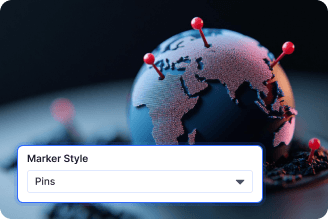
Five Marker Styles
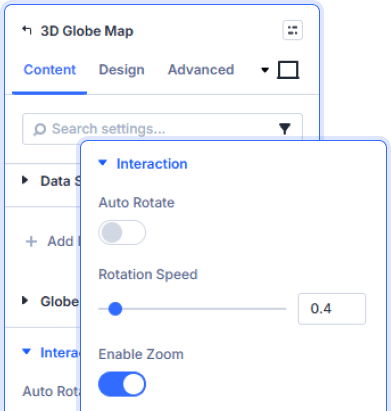
Live Globe Interactions
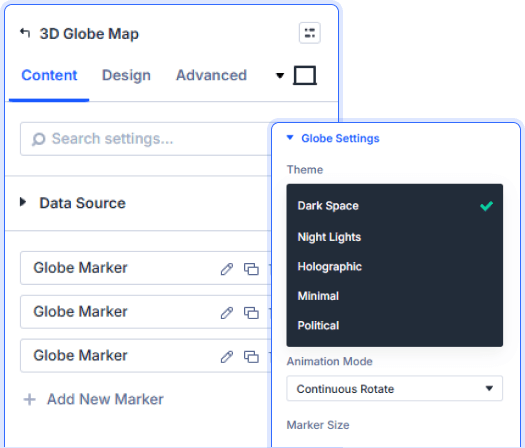
Five Themes, Four Connection Styles
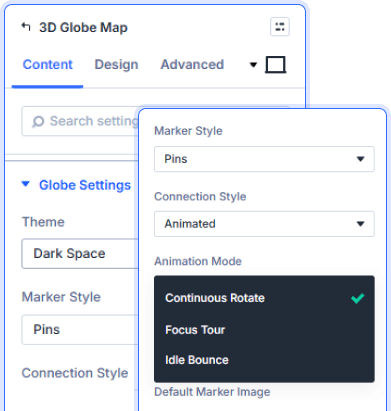
Three Globe Animation Modes
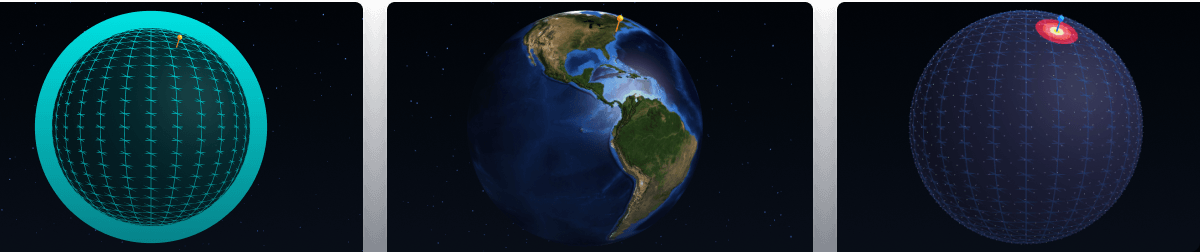
Pulse, Heatmap, Dots And Day/Night
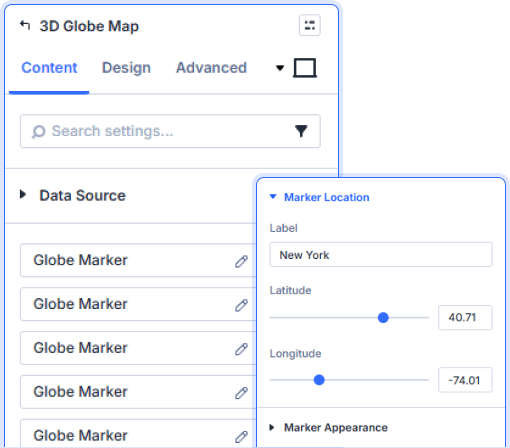
Per-Marker Location And Appearance

Install Divi Essential and create an ACF Gallery field in your post type.

Drop the 3D Globe Map module and add your Globe Markers.

Pick your theme, animation mode, and publish.
Put Your World On
The Map!
Frequently Asked Questions
Do you have any questions or concerns? Here is a list of frequently asked questions and their answers that might be helpful.
Divi Essential Help Center or Contact Us.
How many globe themes does the module offer?
Five — Dark Space, Night Lights, Holographic, Minimal, and Political. Each gives the globe a completely different visual character.
Can I customize each location marker differently?
Yes. Every Globe Marker has its own label, latitude, longitude, custom color, marker image, and value set independently.
What animation modes are available for the globe?
Three — Continuous Rotate for a steady spin, Focus Tour to cycle through each marker, and Idle Bounce for subtle motion at rest.
Can I draw connection lines between markers?
Yes. Enable Show Connections and choose from Dashed, Animated, Gradient, or Glow connection styles between your markers.
Does the globe support zoom and rotation interaction?
Yes. Enable Auto Rotate with a custom speed slider, and toggle Enable Zoom so visitors can interact with the globe directly.
Can I style the marker labels from the Design tab?
Yes. The Marker Label panel gives full typography control — font, weight, color, size, letter spacing, line height, and text shadow.
✨ More Ways to Enhance Your Divi Experience

Divi Time Count Down
Build urgency with customizable countdown timers for sales & events.

Event Calendar
Showcase upcoming events in a clean, organized, and interactive calendar.

Divi Solar Orbit
Present skills or features in a dynamic orbit-style rotating layout.

Ajax Search
Instant search results without page reloads for faster user experience.
