
Showcase image galleries directly from ACF fields inside Divi. Choose from multiple layouts, add hover effects, and fully customize the design to create flexible, dynamic gallery displays.

Build dynamic galleries that update themselves. Pull images from any ACF Gallery field, style them visually, and never hard-code a gallery again.

Dynamic ACF Integration
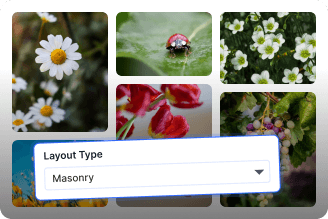
Multiple Layout Options

Smart Fallback System
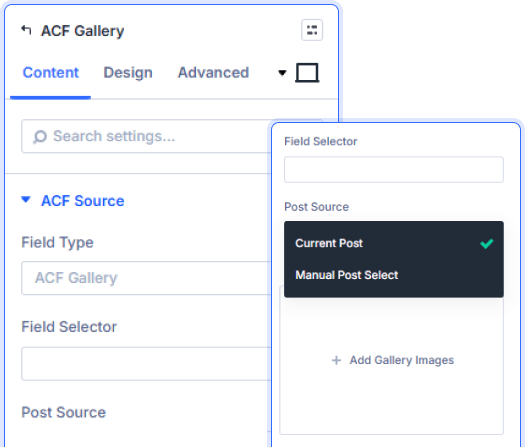
Flexible Field Types And Post Sources
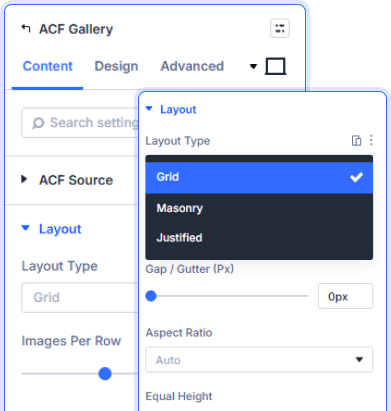
Grid, Masonry And Slider Layouts
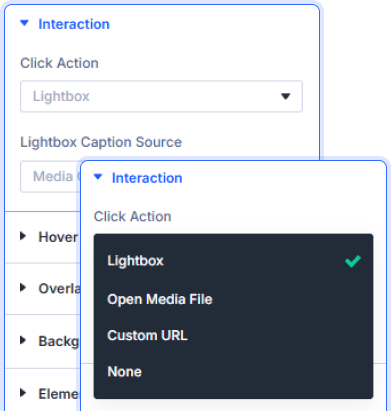
Lightbox, Links And Click Actions
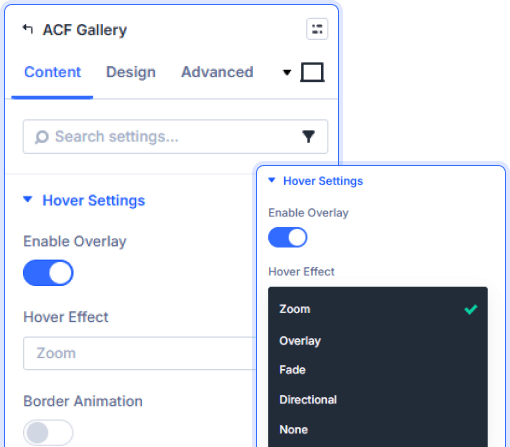
Overlay Effects And Hover Animations

Install Divi Essential and create an ACF Gallery field in your post type.

Drop the ACF Gallery module and select your field from the Field Selector.

Choose your layout, style the hover effects, and publish.
Let Your Content Build
The Gallery!
Frequently Asked Questions
Do you have any questions or concerns? Here is a list of frequently asked questions and their answers that might be helpful.
Divi Essential Help Center or Contact Us.
What ACF field types does this module support?
It supports the ACF Gallery field type. Select your field using the Field Selector dropdown, and the module pulls all attached images automatically.
Can I pull gallery images from a different post?
Yes. Change the Post Source setting to target any post, page, or custom post type instead of defaulting to the current post.
What happens if the ACF field has no images?
The module displays your configured Fallback Images and Fallback Message, so visitors never see an empty or broken section.
Which gallery layouts are available?
Grid, Masonry, and Slider. Each layout offers independent column, spacing, and aspect ratio controls with full responsive settings.
Can I add a lightbox to the gallery images?
Yes. Enable the lightbox from Interaction settings. Visitors click any image to view it fullscreen with navigation between all gallery items.
Is the ACF Gallery module compatible with Divi 5?
Yes. Divi ACF Gallery works seamlessly on both Divi 4 and Divi 5, with full visual editing support in either builder version.
✨ More Ways to Enhance Your Divi Experience

Divi Text Marquee
Create scrolling text announcements with smooth animations & custom icons.

Divi Time Count Down
Build urgency with customizable countdown timers for sales & events.

Divi Interactive Circle
Showcase features in stunning circular layouts with interactive animations.

Divi Scroll Stacking Cards
Captivate visitors with scroll-triggered card stacks for features & portfolios.
