
Welcome to Divi Essential Support Center
The Divi Support Center is your go-to resource for ensuring the optimal performance of your Divi website. This documentation outlines the essential requirements and recommended settings to guarantee a smooth experience with Divi Essential.
System Status Overview
To access the System Status Overview, go to the WordPress Dashboard. You’ll see the Divi icon, hover over it, and click Support Center. you will encounter the System Status section. This area provides a comprehensive overview of your website’s health and highlights any potential issues. The status is indicated by color-coded icons: green for optimal settings and red for areas that require attention.
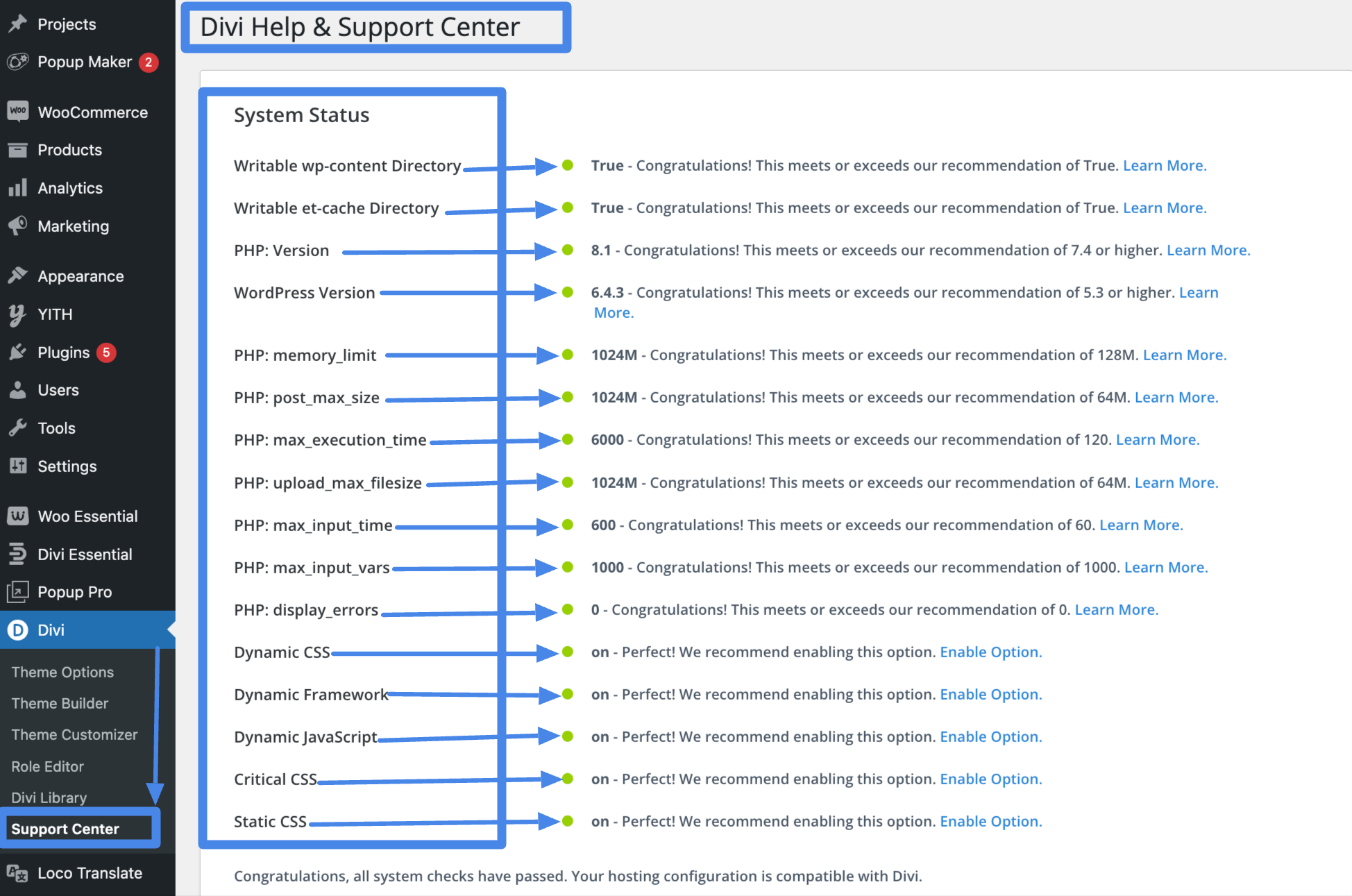
Minimum Requirements
To ensure optimal functionality and performance, your Divi website should meet the following minimum requirements:
PHP Version
Recommended : Latest , PHP 7.4 or higher
MySQL Version
Recommended : 5.7 or higher
memory_limit
Recommended : 512M
max Execution Time
Recommended : 120 & above
max Input Time
Recommended: 60-120
post_max_size
Recommended : 64M
upload_max_filesize
Recommended: 64M
max_input_vars
Recommended: 1000
Following these guidelines will help you maintain a healthy Divi website, ensuring compatibility and optimal performance with Divi Essential. If you have any further questions or encounter issues, please don’t hesitate to reach out to our support team for assistance.