
Image Magnifier module allows you to zoom images using a magnifying glass. This handy dandy module is super useful for displaying products with details.
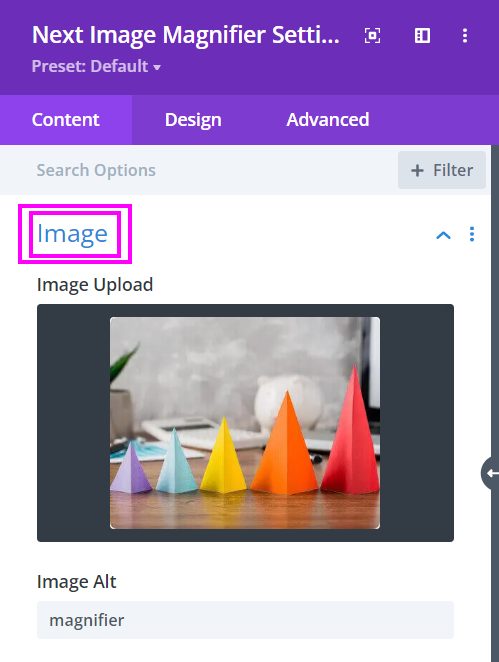
Content → Image
Add Image for the Magnifier design layout
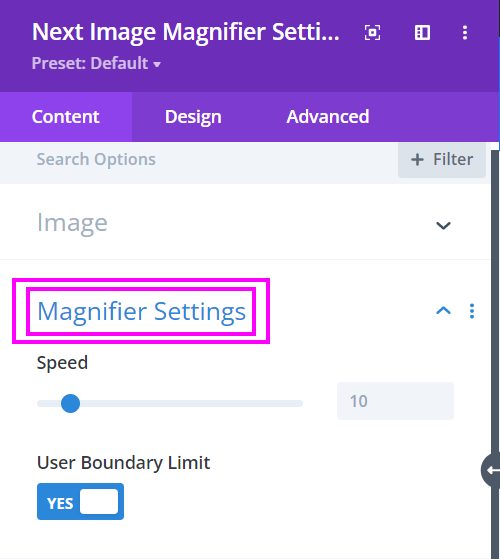
Content → Magnifier Settings
Adjust the speed of the magnifying glass and enable/disable the Boundary Limit
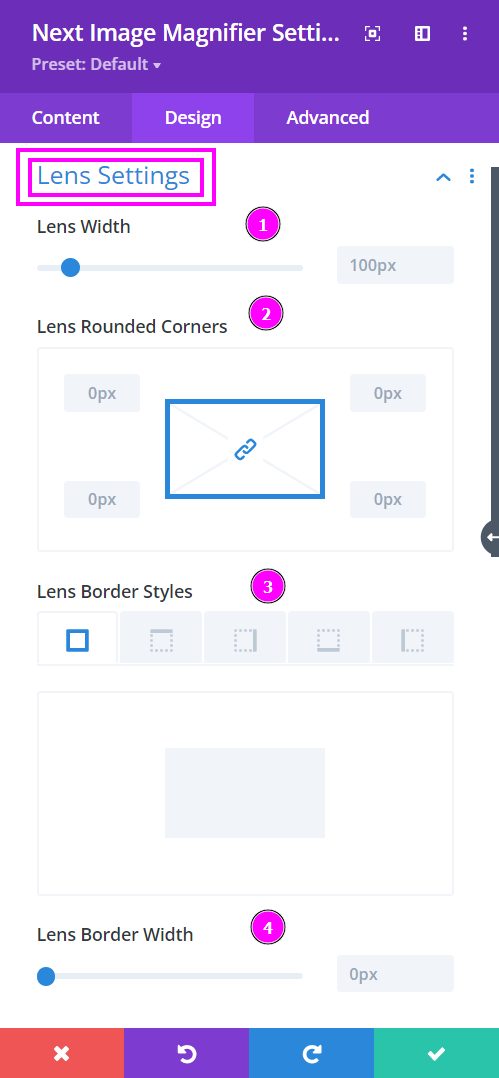
Design → Lens Settings
The lens helps you to magnify specific areas in the image. Here you can adjust the Lens Settings to your requirements.
The Lens Settings include the following options:
- Lens Width – adjust the width of the lens using the slider
- Lens Rounded Corners – include rounded corners to each or all sides of the lens
- Lens Border Style – add a border to each or all sides of the lens
- Lens Border Width – adjust the width of the border that you have added
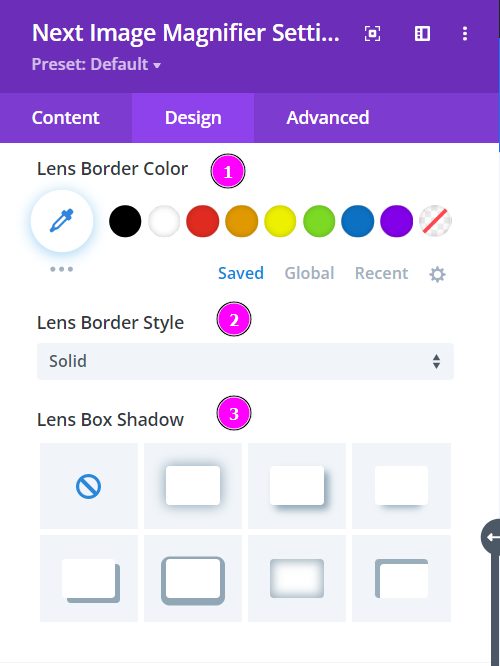
Design → Lens Settings (continued)
- Lens Border Color – pick a color for the border using the pointer or simply copy/paste the hex code to get the exact color required
- Lens Border Style – select a prebuilt style of border from the collection
- Lens Box Shadow – add a box shadow to the lens
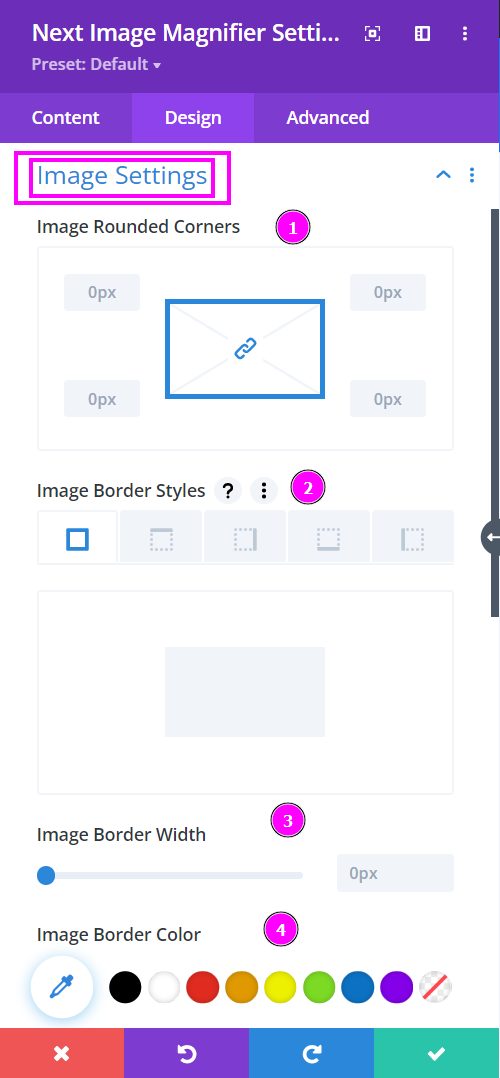
Design → Image Settings
Here, we are talking about the design options included in the image settings toggle within the design tab.
- Image Rounded Corners – include rounded corners to each or all sides of the image
- Image Border Style – add a border to each or all sides of the image
- Image Border Width – adjust the width of the border that you have added
- Image Border Color – pick a color for the border using the pointer or simply copy/paste the hex code to get the exact color you want.
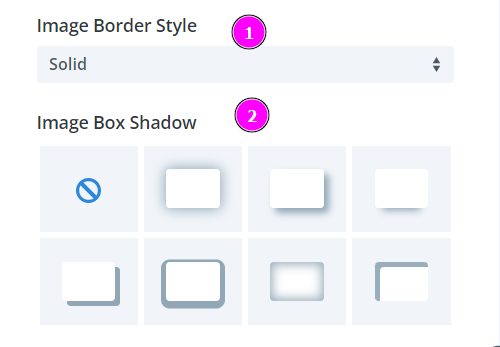
Design → Image Settings (continued)
- Image Border Style – select a prebuilt style of the border from the collection
- Image Box Shadow – add a box-shadow to the image